

What do Line No. s Do in Business Central? Why are they in 10,000’s?
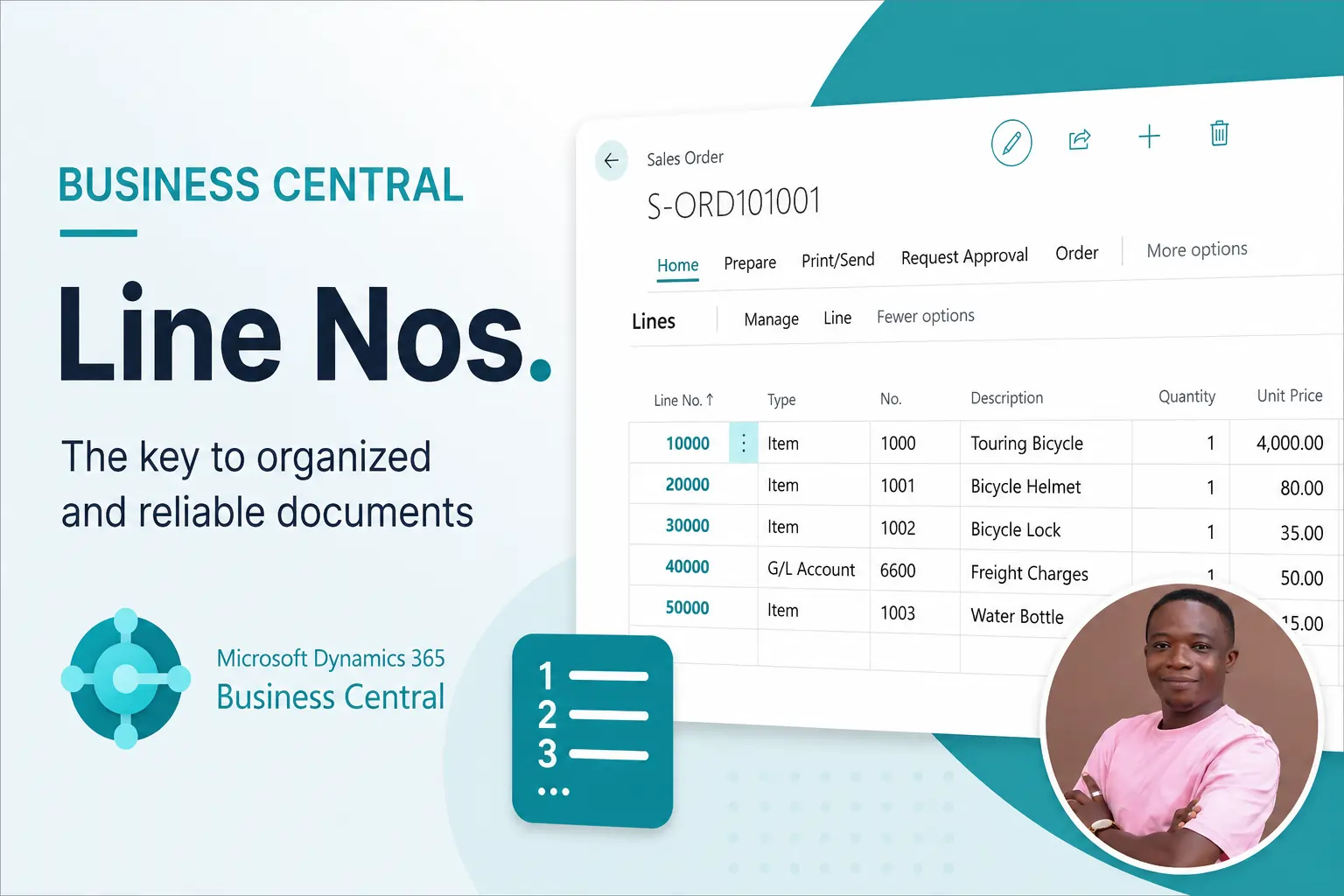
Context of this post: Sales/Purchase Quote, Order, Invoice.
One of the things that puzzled me when i first started AL Development was the field “Line No.”. They were never visible on a Sales or Purchase Document (Quotes, Orders, Invoices etc), and they were being automatically incremented. To add to the confusion, they always seemed to be in increments of 10,000s. After about a year into my AL Development, i finally understood why. In this post, i will clarify what Line No.s are, what they are used for and why they are in 10,000s.
What are Line No.s?
‘Line No.’ is basically a field in Business Central with a data type of Integer. It is the 3rd field included in the primary key on Sales/Purchase Subforms/Lines
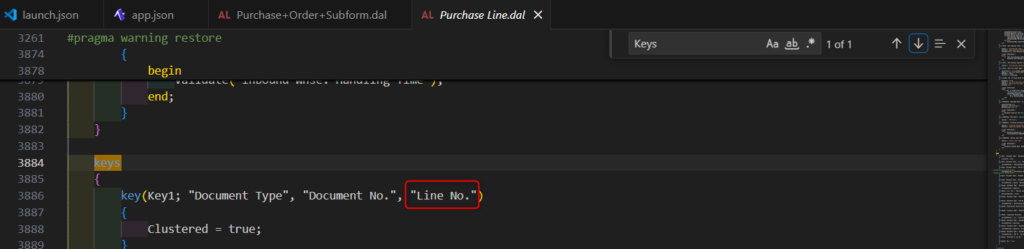
Per my experience, it is used to organize records being displayed on subforms such as (Sales/Purchase Quotes, Orders, Invoices etc.).
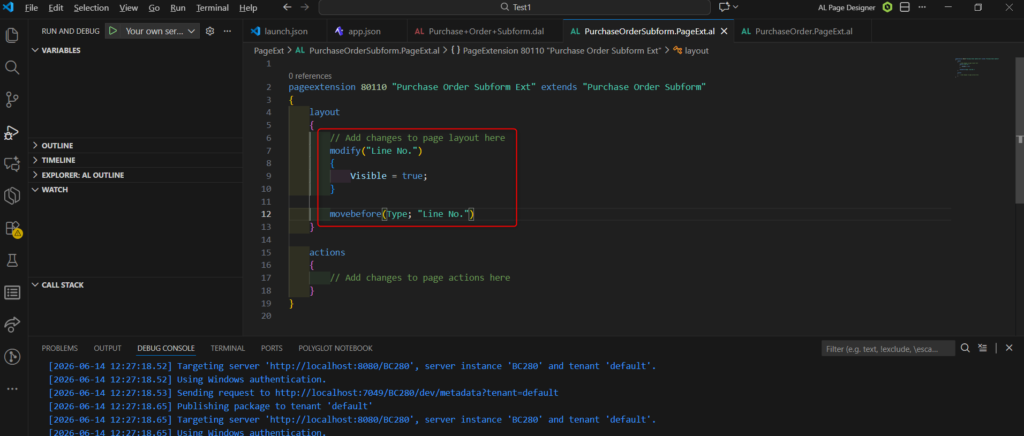
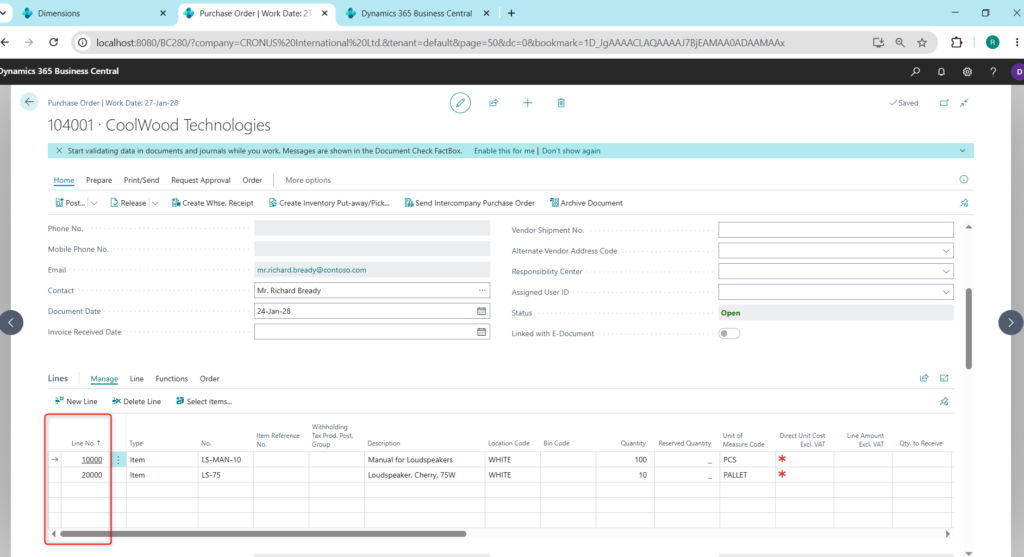
For the purposes of this demonstration, i will make the line No. visible on the Purchase Order Subform and ensuring it is the first field, using a page extension.
What do Line No.s exactly do in Business Central?
The most basic answer is that, they simply ensure that data you have inserted stay in the same order that you have inserted them even when you leave the page and return to it. On a normal table (where sorting hasn’t been defined), whenever you insert a new record, the record is by default, sorted according to the Primary Keys stated. Take the Dimension Table for Example, the primary key for the Dimension table is CODE.
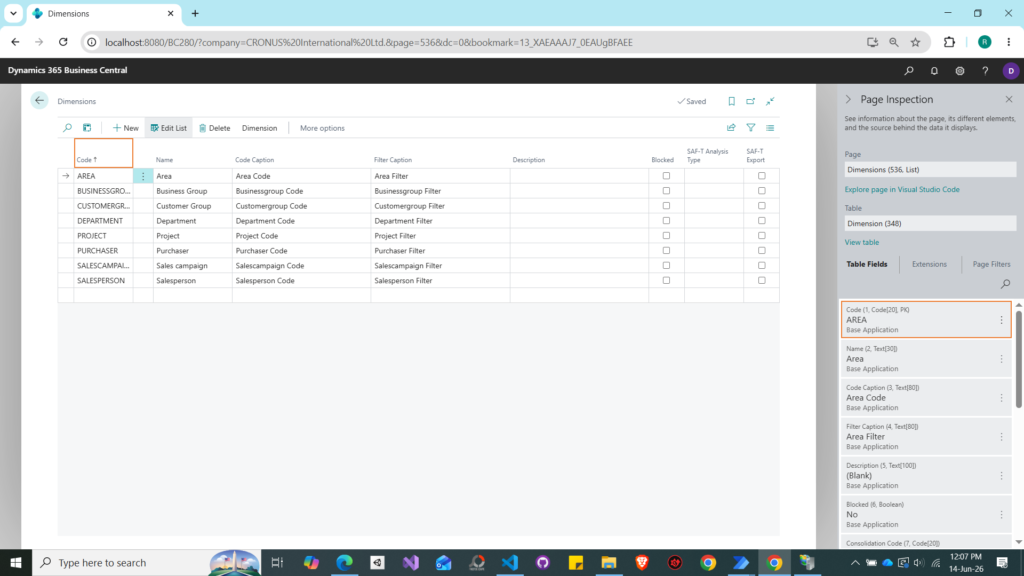
if i add a new record with Code ‘BRAND’ at the end of this table, in the moment BRAND will be the last record, however once the page refreshes, BRAND will end up being the second record. This is because the Dimension table’s primary key is a text field (CODE), and Business Central sorts it alphabetically in ascending order by default. You have no control over where a record lands. Line No. solves this differently.
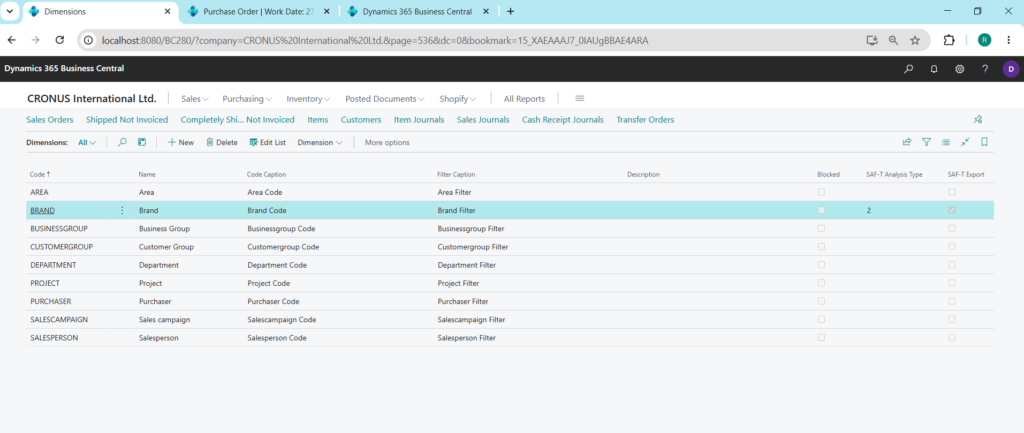
Watch a video of me demonstrating this below:
Based on what we know so far,
what is the default behavior of the Sales/Purchase Lines?
The Sales/Purchase Lines has 3 fields making up its Primary Key.
- Document Type
- Document No.
- Line No.
On the subpage, Document Type and Document No. are linked to the header via the SubPageLink property. This means the lines are always filtered to match the current header record, so in practice those two fields are constant across all lines on a given document, leaving Line No. as the only field that differs between lines. This also means that records on the Lines are by default sorted according to the Line No.
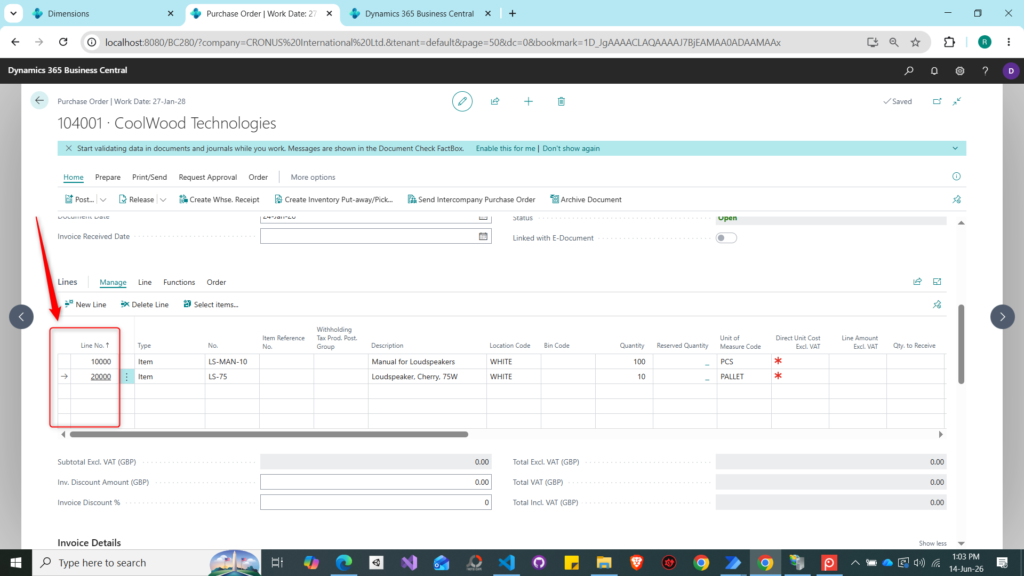
However, unlike inserting into a table like Dimension where regardless of where we enter a new record, it ends up being sorted by alphabetical order ascending, the subforms/Lines do not work that way.
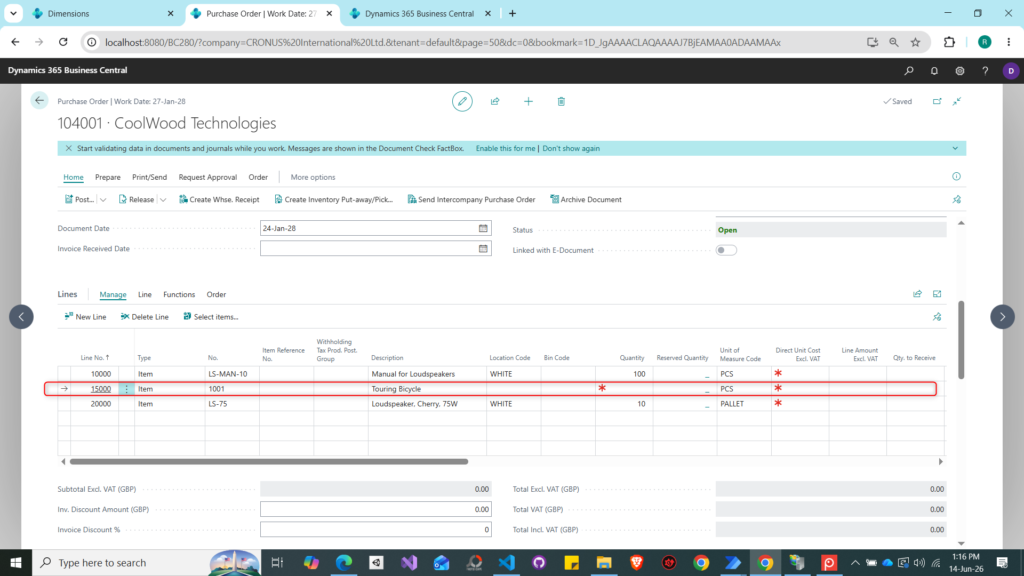
Whenever we insert a new record, business central does a midpoint calculation to ensure that the new record stays exactly in the position you inserted it. An example is the image above, if we insert a new record between line 10,000 and 20,000, you might expect Business Central to just use the next available increment, something like 10,001, 30,000 (since it’s a new record), or that it would have to renumber all subsequent lines. Neither happens. Instead, Business Central calculates the midpoint between the two surrounding lines (the record above and the record below): (10,000 + 20,000) / 2 = 15,000. The new line slots in cleanly without touching anything else.
I explain it in the video below:
So now this raises the question,
Why are Line Nos in 10000?
Based on what i have explained above, it’s essentially a buffer between lines so you have room to slot new records in between without disrupting the existing sequence.
I hope this helps someone out there. Be sure to let me know if this helps you in any way. Enjoy your day!